


Most people hear "Codex" and immediately picture a developer in a hoodie asking AI to refactor JavaScript at an ungodly hour.
That made sense for about five minutes.
Yes, Codex is a coding agent. OpenAI says exactly that in its official Codex overview. But if you stop there, you miss the bigger story: Codex is quickly becoming one of the more interesting tools for structured, real-world knowledge work, especially for people who are not software engineers.
Why? Because the thing that makes Codex useful is not "it writes code." It is that Codex can take a goal, work through files and tools, use your computer, keep context straight, ask for approval before risky actions, and produce an actual deliverable instead of just giving you a pretty paragraph in a chat box. The app is available on Windows and macOS and includes built-in skills, automations, git features, and support for multiple agents working in parallel. That matters because a lot of normal work is just structured mess management: drafts, plans, reports, notes, checklists, spreadsheets, and recurring tasks that somehow keep eating your week.
If you've read The Neuron's framework for choosing between prompts, projects, and agents, this is the next logical step. Codex is what happens when the "agent" part stops being theoretical and starts becoming useful for everyday operators, writers, marketers, researchers, assistants, founders, and organized hobbyists.
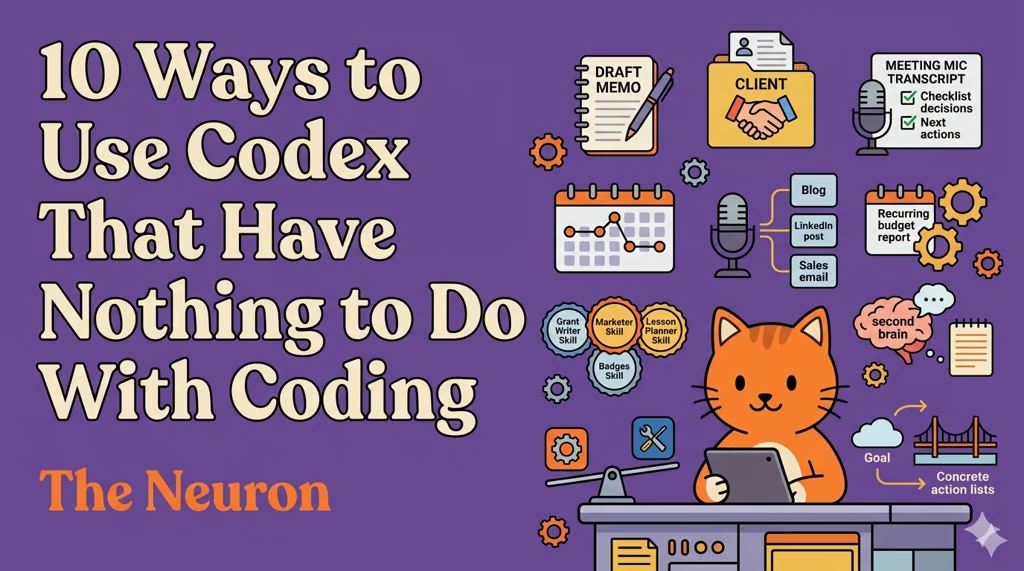
Here are 10 ways to use Codex that have very little to do with coding and a lot to do with getting your life back.
- 1. Turn a pile of rough notes into a real draft
- 2. Build a weekly briefing without playing copy-paste intern
- 3. Clean up meetings into decisions, owners, and next steps
- 4. Backward-plan projects from a deadline
- 5. Repurpose one source into five useful assets
- 6. Create recurring operational systems with automations
- 7. Build your own tiny "AI coworkers" with skills
- 8. Use Codex as a second brain for in-progress work
- 9. Compare options before you commit time or money
- 10. Turn vague goals into concrete next actions
- Why Codex works so well for non-engineers
- Three tips for getting better results without becoming "technical"
1. Turn a pile of rough notes into a real draft
This is the obvious one, but it is still underrated.
Codex is great when you have half-finished thoughts scattered across a folder: meeting notes, voice note transcripts, research snippets, old outlines, screenshots converted to text, maybe a few bullet points you wrote while hungry and mildly annoyed.
Instead of pasting one chunk at a time into a regular chatbot, you can point Codex at the working folder and say: turn this into a clean article draft, memo, proposal, FAQ, or newsletter in this voice, for this audience, with this structure.
That sounds small. It is not. The difference between "chat response" and "usable draft" is the difference between inspiration and shipping.
2. Build a weekly briefing without playing copy-paste intern
A lot of knowledge work is not "thinking from scratch." It is assembling signal from ten places, removing duplicates, and turning it into something another human can read in three minutes.
Codex is well-suited for this because it can work through source files methodically. You can keep articles, transcripts, PDFs, research notes, or exported documents in one workspace and ask for a Friday client brief, Monday leadership memo, or industry roundup with clear sections: what changed, why it matters, what to watch next.
This is also where a custom skill becomes useful. If your briefing always uses the same format, tone, and audience assumptions, save that workflow as a reusable skill. Then you are no longer "prompting." You are running a playbook.
3. Clean up meetings into decisions, owners, and next steps
Most meeting notes are not notes. They are archaeological sites.
Codex can turn a chaotic transcript into:
- a short summary
- a decision log
- an action-item list with owners
- a follow-up email draft
- a "what still needs a decision" section
This is a huge quality-of-life improvement for managers, chiefs of staff, consultants, freelancers, community organizers, and anyone who spends too much time in calls that could have been four bullets and a deadline.
The trick is to ask for outputs that are operational, not literary. "Summarize this meeting" is fine. "Create a decision memo with open questions and next actions" is much better.
4. Backward-plan projects from a deadline
Non-technical people often assume agent tools are best at execution and weak at planning. In practice, planning is one of the most valuable uses.
Give Codex a goal, a deadline, a few constraints, and the inputs you already have. Ask it to build the project backwards: milestones, dependencies, draft timeline, stakeholder check-ins, and the "if this slips, what breaks?" section nobody writes until too late.
This is especially useful for launches, events, applications, content calendars, hiring loops, trips, and home projects.
One of the lessons from The Neuron's Codex explainer is that Codex shines when it feels like a teammate, not a vending machine. Planning is where that clicks for non-engineers. You are not asking for magic. You are asking for a first-pass operating plan you can react to.
5. Repurpose one source into five useful assets
You recorded a podcast. Or gave a workshop. Or ran a webinar. Or wrote a long internal memo almost nobody will read unless it is broken into smaller pieces.
Codex can take that one source and turn it into:
- a blog draft
- a LinkedIn post
- a client email
- talking points for a slide deck
- a short FAQ
This is not novel in AI-land. What is novel is being able to keep the source material, examples, brand instructions, and preferred templates together in one workspace so the output is more consistent and less "same intern, different mustache."
If you do this often, make a skill for it. Good starter ideas:
- "Podcast to newsletter"
- "Webinar to sales follow-up"
- "Research memo to executive brief"
- "Family trip notes to printable itinerary"
6. Create recurring operational systems with automations
This is where Codex gets more interesting than a normal chatbot.
OpenAI says the Codex app includes automations, which means you can move from one-off help to recurring help. For a non-engineer, that opens a very practical door: stop re-explaining the same task every week.
A few good automation candidates:
- every Monday morning, generate a weekly priorities brief from the notes in a workspace
- every Friday afternoon, summarize project updates into a status report
- every month, roll up receipts or budget notes into a clean review document
- after each meeting transcript lands in a folder, turn it into action items and a follow-up draft
The important mindset shift: automate routines, not judgment. If the task has a stable format and a clear output, Codex can usually help. If the task depends on subtle politics, missing data, or approval from three people who contradict each other, keep a human in the loop.
7. Build your own tiny "AI coworkers" with skills
People hear "skill creation" and assume we have drifted into developer territory. Not necessarily.
A skill is just a reusable way of telling Codex how to do a recurring job well. If you find yourself typing the same instructions over and over, you probably do not have a prompting problem. You have a packaging problem.
Non-coder-friendly skill ideas:
- a grant-writing skill that turns program notes into draft applications
- a marketing skill that rewrites long-form content into campaign assets
- a teaching skill that converts source material into lesson plans and worksheets
- a household admin skill that turns travel confirmations, reservation emails, and notes into a single trip plan
- a research skill that reads saved documents and produces a consistent brief with "what matters" and "what to ignore"
The best skills are boring in the best way. They reduce friction. They make good work more repeatable.
8. Use Codex as a second brain for in-progress work
One underrated point from OpenAI's own write-up on how teams use Codex is that it helps people stay in flow by capturing work they do not want to lose. That idea translates beautifully outside engineering.
You can hand Codex a half-baked task and say:
- organize this for tomorrow
- turn these scattered thoughts into a plan
- leave me a clean handoff note
- show me what is missing before I pick this back up
This is gold for anyone whose day gets chopped into weird little pieces. Parents. Executives. Freelancers. People with too many tabs open and one surprisingly fragile attention span.
Codex works well as a holding pen for unfinished-but-important work. That alone can make it worth using.
9. Compare options before you commit time or money
Another strong use case: decision support.
Give Codex your options, your constraints, and your criteria. Ask for a comparison that is actually useful: tradeoffs, hidden costs, best fit by scenario, what you would regret later, and what information is still missing.
This works for software vendors, trip plans, equipment purchases, content strategies, course ideas, event venues, and even hobby decisions like "which 3D printer should I buy if I care more about reliability than tinkering?"
The warning label here is the same as with any AI tool: use it to structure thinking, not replace due diligence. Codex is good at organizing a decision. You are still responsible for the decision.
10. Turn vague goals into concrete next actions
A lot of people do not need more ideas. They need a better bridge between "I should do this" and "here is the next step."
That bridge is where Codex is surprisingly useful.
You can say:
- I want to start a newsletter, but I do not know what the first three issues should be
- I want to organize my side business operations
- I need a process for tracking freelance leads
- I want a better home inventory system
- I need a repeatable way to prep for interviews
And instead of asking for motivation, ask for infrastructure: templates, checklists, folder structures, operating docs, recurring reviews, starter drafts. Codex is often best when it helps you build the scaffolding around a goal, not when it tries to be your life coach.
Why Codex works so well for non-engineers
The short version: it is not just a chatbot with nicer manners.
Codex is strong when work has four traits:
- there is source material to inspect
- there is a real output to produce
- there are multiple steps between start and finish
- consistency matters more than cleverness
That describes an alarming percentage of modern work.
The reason Codex feels different is that it is built around doing, not just answering. OpenAI's current help docs describe Codex as something you can pair with locally or delegate to in the cloud, and the app itself is clearly being positioned as a workspace for longer, more autonomous tasks. Even if you never touch a line of code, that model fits writing, planning, coordination, and repetitive admin surprisingly well.
Three tips for getting better results without becoming "technical"
First, ask for deliverables, not vibes. "Help me think about this" is fine. "Draft a one-page brief with recommendations, risks, and next steps" is much better.
Second, give Codex examples of what good looks like. A past memo, an outline you like, a template, a transcript, a rough version you already wrote. Reality beats abstraction.
Third, when a workflow works twice, stop rewriting it from scratch. Save it as a skill. When it works every week, automate it.
That is the real unlock that Codex brings.
The future of AI for non-engineers is learning how to hand off structured work clearly, review the result, and gradually turn your repeated tasks into reliable systems. It's not learning fake computer science vocabulary so you can cosplay as a prompt wizard, though I consider this acceptable at the right party.
Codex just happens to be one of the better tools for that job.
And yes, it still writes code, and is absolutely capable of helping you (yes, even you) do it, too. But for a growing number of people, coding may end up being the least interesting thing about it.
